
IGNOU is a NAAC ‘A++’ university offering 333 distance courses across 21 schools of study. To apply at IGNOU, you have to register from the official portal using your personal details. Note that, you can register for the January session in December/ January, and for the June session, registration begins in May/ June. After registration you have to login at IGNOU as a student to get detailed information about courses. You can also check your current admission status, subject names, subject codes, credits, results, and various other information.
How to login at IGNOU Student portal?
The step-wise process to log in to the IGNOU student portal is given below:
- Visit ignou.samarth.edu.in or search for IGNOU login and click on the ‘IGNOU Login’ from the search results.
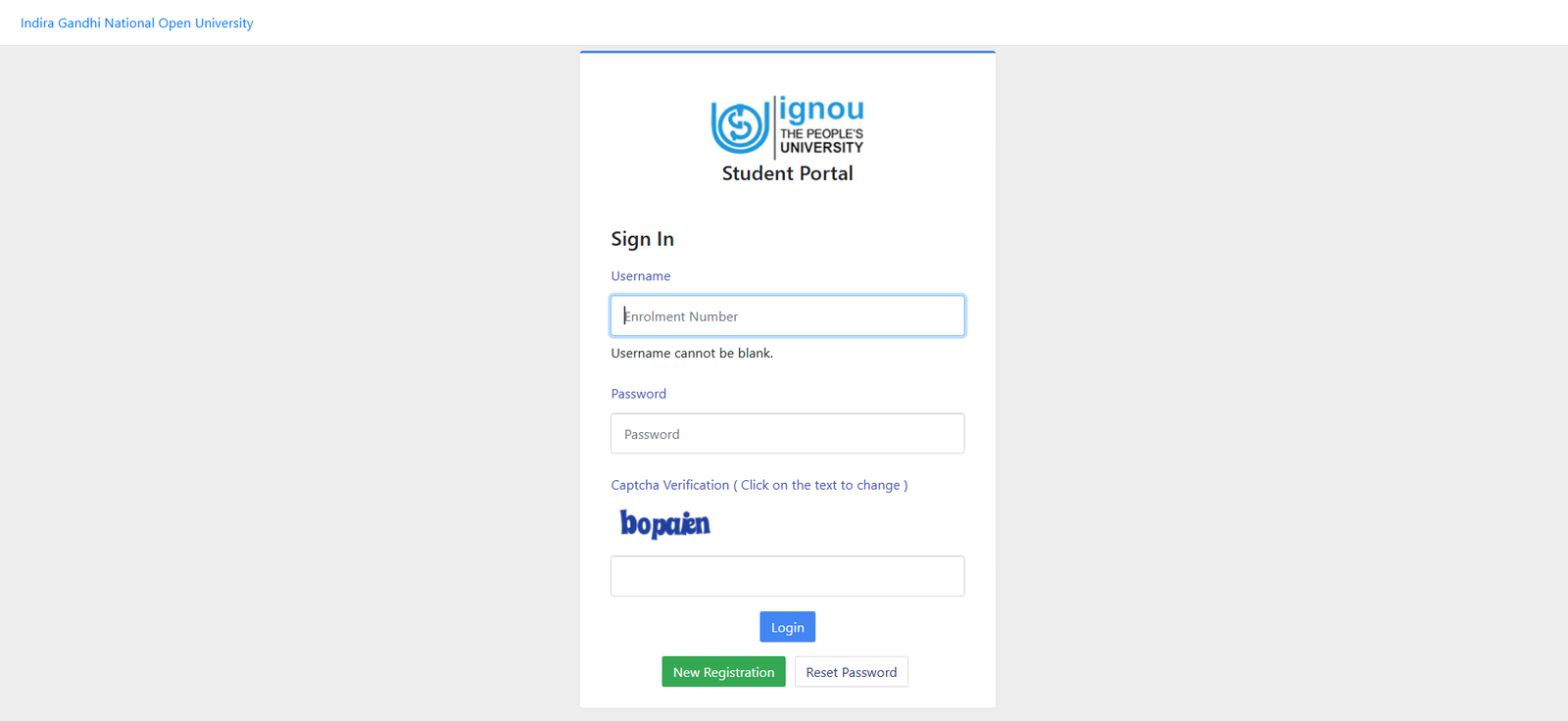
- Enter your enrollment number and password.
- Now, enter the given captcha and click on submit to enter your student dashboard.
How to login at IGNOU with Enrollment Number?
IGNOU students can use their enrollment number to access various online portals, such as student information, exam forms, results, admission details, and term-end examination results. This enrollment number will also help you to track admission, registration, re-registration, and academic progress. To log in using the enrollment number, students need the:
- 10-digit enrollment number
- Date of birth
- Program code
- Captcha
How to Register at IGNOU?
You can register yourself on the IGNOU portal as a new student by following the given steps:
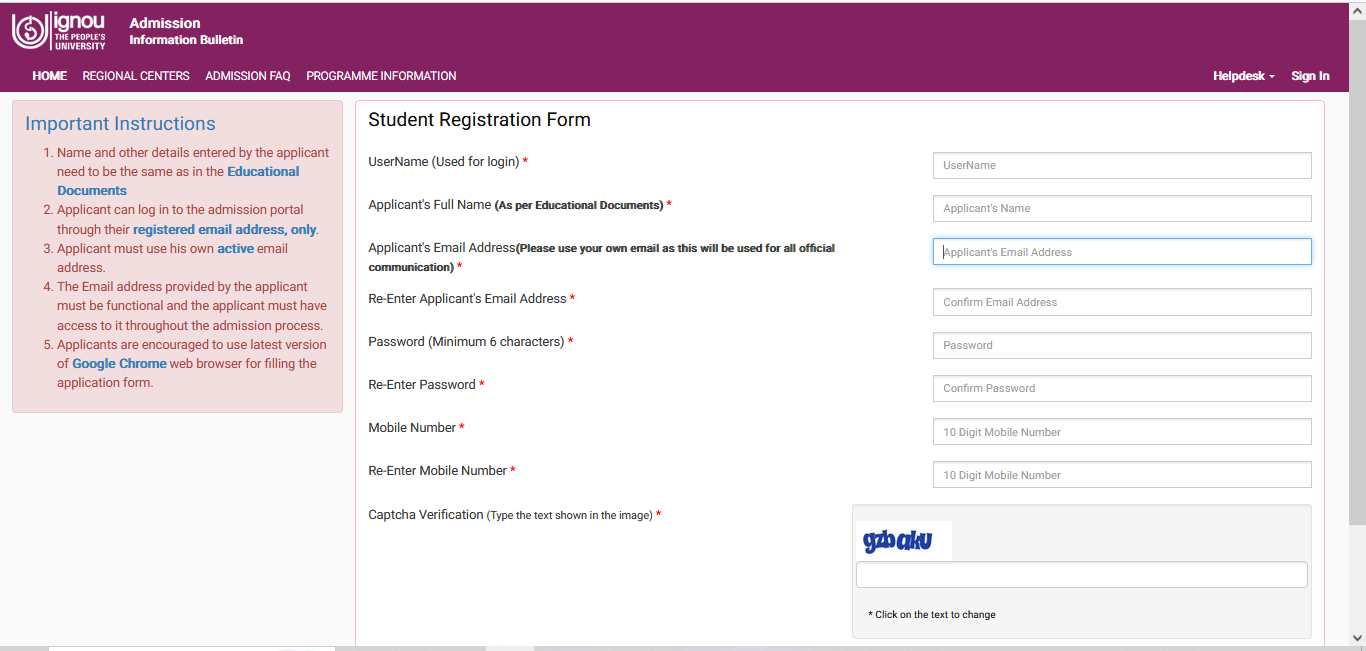
- Visit ignouadmission.samarth.edu.in/index.php/registration/user/register
- Now enter your details such as name, email address, and mobile number.
- Also, generate a password, and confirm the captcha to register.
How to Re-Regsiter in IGNOU?
IGNOU re-registration is mandatory for already enrolled students to complete this process to continue to the next semester or academic year. Hence, students must submit their forms online on the official website before the deadline.
- Visit the official portal and click on ‘Register Online’.
- After that, go to ‘Re Registration’.
- Then, read all the instructions clearly, and ‘Proceed for Re-Registration’.
- Enter your username, password, CAPTCHA, and click on ‘Login’.
- In the next step, choose the courses from the subjects tab and click on ‘Next’.
- Finally, pay the re-registration fees. After the payment, students will receive payment and registration confirmation on their Email and phone number.
How to Check Re-Registration Status?
After receiving registration confirmation, you can check your registration status from the IGNOU website. The steps to check re-registration status are:
- Click on the ‘Re-Registration’ link from the official portal.
- Then, enter your ID, password, and verification code.
- After that, you will be able to see all the registration details.
What are the Documents Needed for IGNOU Registration?
The documents required for IGNOU registration and admission are:
- Passport-size photograph
- Age proof
- Signature
- Educational certificates
- BPL certificate (if required)
- Experience certificate (if required)
Also Read:
IGNOU Forget Password
Existing students who have already registered on the IGNOU portal can change the password by following the given steps:
- Visit ignou.samarth.edu.in
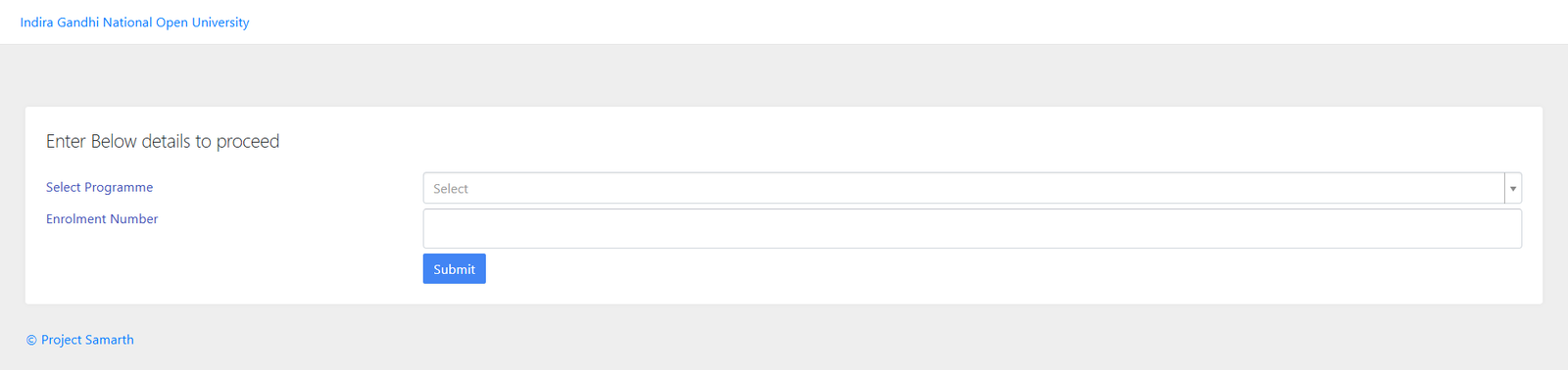
- Now select your course name from the drop-down and then add your Enrollment number.
- After submission, you will receive an OTP sent to your registered email/ mobile number.
- Now enter the OTP and click on the submit button.
- Finally, a new window will appear where you can enter the new password and again enter the password on the confirm password text box.
- Click on submit and now you will be required to log in using your username/ enrollment number and the new password.
Also Read:
FAQs
Q. When does the IGNOU registration start?
Ans. Registration for the January session usually starts in December and continues till January. However, in some cases, the last date can be extended till February or March. Additionally, for the June session, the registrations start May and can be extended till July.
Q. How can I download the IGNOU Hall Ticket?
Ans. The steps to download the IGNOU hall ticket are as follows:
- Visit the official website of IGNOU: ignou.ac.in
- Now select the admit card option from the official website.
- You can also visit hall_ticket.ignou.ac.in/hall1224/ignouhallticketDEC2024.aspx to download the hall ticket.
- Now enter your enrollment number and select your program from the drop down.
- Click on the ‘Submit’ button to check the admit card.
- Download the admit card for further use.
Q. Do I need to register for IGNOU for June admission 2025?
Ans. The registration process for the IGNOU is:
- Visit the IGNOU website and click on the re-registration link under the ‘register online’ section.
- Enter the necessary personal details and select the courses for the new session, if applicable.
- Upload the required documents and proceed with the payment of the registration fee.
- After confirming the details, click on the final submission link to complete the process.
Q. Is the IGNOU Degree valid?
Ans. Yes, an IGNOU degree has the same value as a regular university. The degree is valued by the both private/government sector in India. Furthermore, the IGNOU has also been recognised by the Commonwealth nations.
Q. Does IGNOU provide PhD courses?
Ans. Yes, IGNOU provides PhD courses in 34 disciplines. Admission to the PhD program is based on performance in the UGC NET. Students applying for the program need to apply through the official portal.
Q. How can I download the IGNOU Result?
Ans. The IGNOU TEE Result 2024 has been released by the Indira Gandhi National Open University (IGNOU) at its online portal for undergraduate, postgraduate, diploma, and certificate courses. Candidates can download the IGNOU Result/ Grade card by following the given steps:
- Visit the official website of IGNOU, ignou.ac.in.
- On the home page menu bar, click on ‘Student Support’.
- Select the ‘Results’ option
- To check the IGNOU term-end 2024 results, click on the ‘Term-End’ option as highlighted below.

He is a passionate blogger with 15 years of experience in creating engaging, SEO-friendly content. He loves sharing insights, tips, and stories that inform and inspire readers around the world